
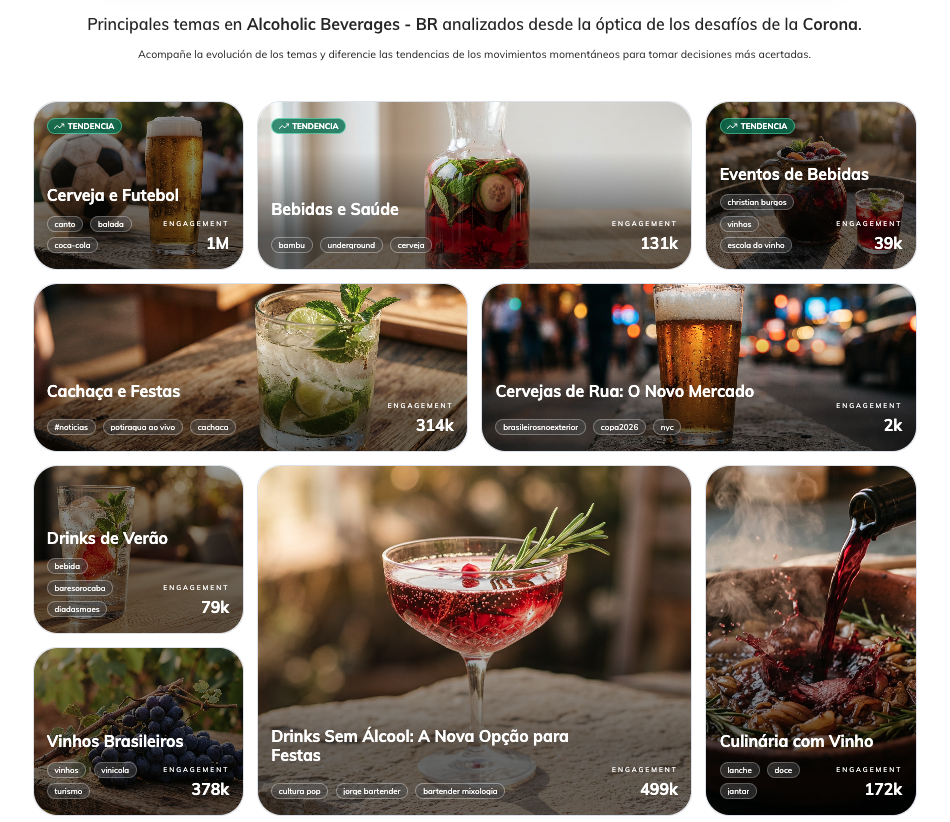
Trends is the central page for exploring and monitoring cultural trends within a selected expanded territory. It consolidates the most relevant emerging opportunities for your category in one place, with consistent data and direct navigation for deeper analysis.
How It Works
The Trends page displays the same cards shown on the Home screen, organized around the expanded territory selected by the user. Access happens directly through a link on the Home page, ensuring continuity between navigation and analysis.
One important note on data consistency: when accessing a territory from a Trend card, the period filter automatically loads with 3 months — the same window used to calculate the Total Engagement displayed on the cards. This ensures the value shown on the card and the data on the destination page are always aligned.
The page displays up to 20 trends, including the same ones shown on the Home and additional ones from the seventh position onward. The metric displayed on each card is the Total Engagement over the last 3 months, accompanied by a tooltip clarifying the time window considered. When the expanded category is not configured in the workspace, an empty state message is shown to guide the user.
Search — Finding Trends
Beyond automatically generated trends, users can actively search for other topics. — the user only sees the Relevance chart, with the same 3-month weekly format and a standardized generic text for any searched topic. This feature accelerates "time to value", eventually even being capable of complementing the "owned topics"creation process.
Card Opened from the Overview
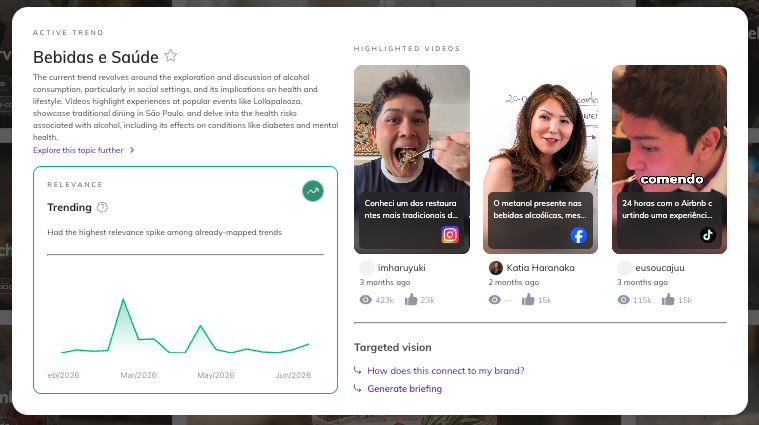
When opening a trend card, the user gets access to the Relevance chart, displaying the last 3 months with weekly granularity. The current week is always removed from the chart to ensure only complete data is shown.
Regarding briefing generation: workspaces still using the old entity keep the briefing generation button available. Workspaces with the new entity do not display the button — consistent behavior with what already happens on the Home page.